
K
Konnetta TeamHow to Accept/Reject Bookings
Watch now
Konnetta gives service providers complete authority over their work requests with a simple accept-or-reject booking feature. Service providers can quickly review incoming job details, check client specifications, and accept only the projects that align with their availability and expertise to ensure smooth client communication and seamless workflow management.

Konnetta empowers service providers a to take full control of their schedules with flexible calendar management. By easily blocking out unavailable dates and times, service providers can prevent double bookings, seamlessly manage prior commitments, and eliminate the need for last-minute client cancellations.
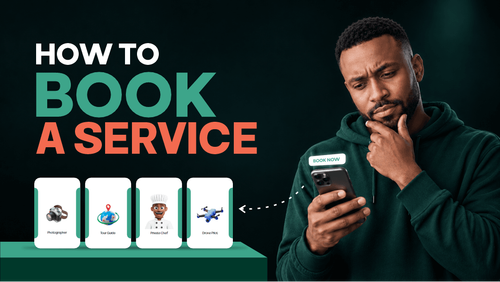
Booking a service on Konnetta makes securing reliable local help effortless, allowing you to plan and schedule your needs well in advance with complete confidence. You can easily browse through service providers' detailed portfolios, review past work, and check ratings to ensure you find the perfect fit for your vision. Plus, you can include specific requirements, custom requests, or unique notes directly in your booking, guaranteeing that your service provider knows exactly what you need before they arrive.

The Konnetta Wallet ensures complete peace of mind for every job by using an integrated escrow system to keep transactions safe and transparent. When a client books a service, funds are securely locked in escrow rather than paid out up front. Once the job is successfully finished and marked as completed, the funds are instantly released into the service provider’s wallet balance, making them immediately available for payout and withdrawal.

Showcase everything you have to offer by adding multiple services to your Konnetta profile. Whether you’re a hairstylist who also offers makeup artistry, a photographer who provides videography, or a beauty professional with multiple specialties, you can list your different services in one place. This helps clients discover your full range of talents and makes it easier for them to book the right service for their needs.

Use Konnetta’s chat feature to communicate directly with your service provider before and during your booking. You can share images and videos to give them a clearer idea of exactly what you’re looking for, ask questions, confirm details, and share any important preferences or special requests. Keeping your communication in the chat helps ensure you and your service provider are on the same page, making it easier to create a personalized experience that meets your expectations.

When a client posts a job on Konnetta, service providers can review the request and send a proposal based on what the client is looking for. Service providers have the flexibility to decide which opportunities are right for them, then accept or reject bookings once a client chooses their proposal.

Not every client request will fit neatly into an existing service package. With Konnetta, service providers can create a custom quote for services that aren’t already listed in their packages. This allows service providers to personalize their offering, agree on the details and pricing with the client, and create a more tailored experience.
Destination guides, photography tips, and exclusive vendor spotlights. No spam, unsubscribe anytime.
No Spam. Unsubscribe any time.